Your home, on your own server.
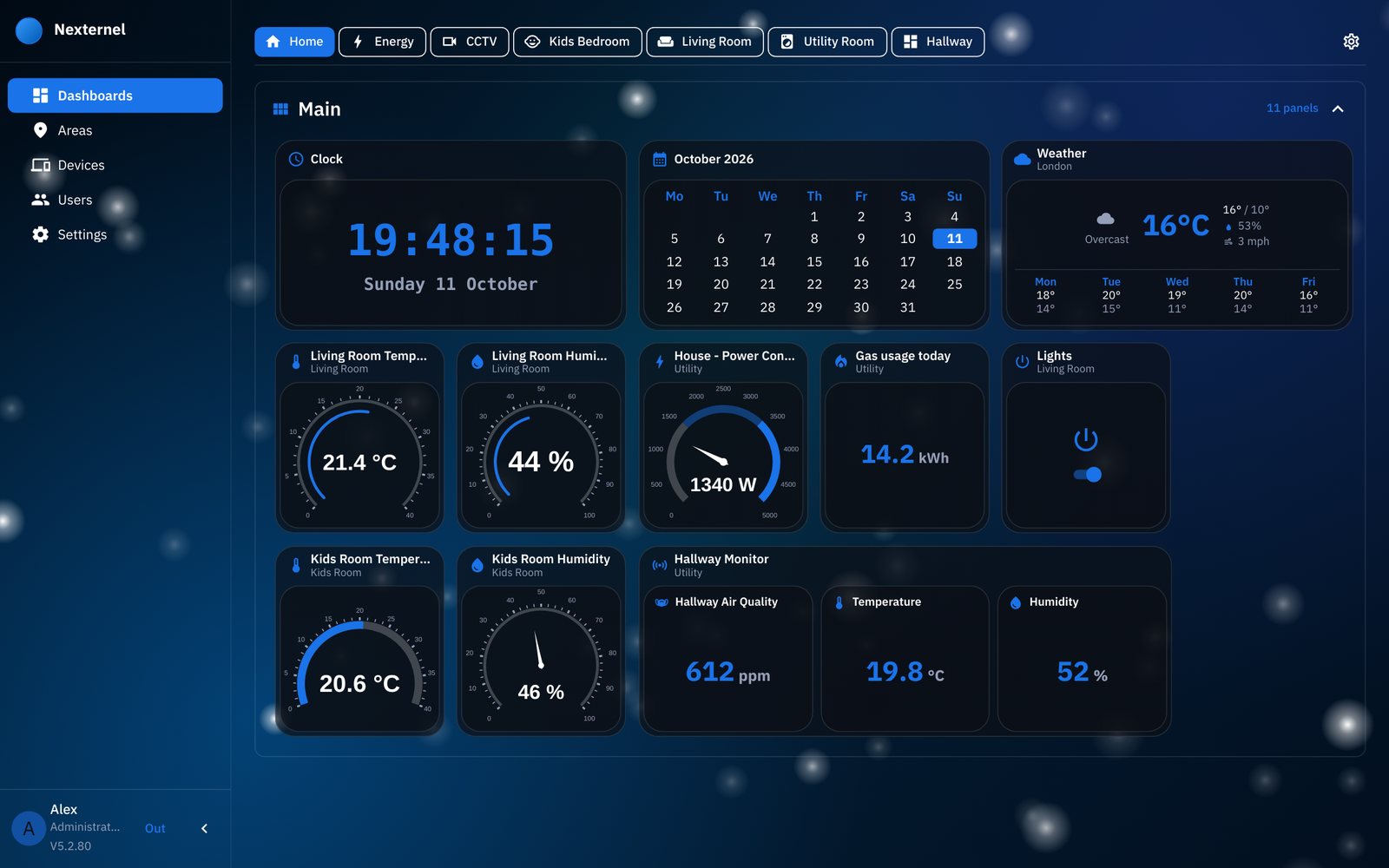
Nexternel brings your sensors, switches, cameras and energy readings together on dashboards you arrange yourself. It runs on a small Linux machine at home. There's no cloud account, and your data stays with you.
curl -fsSL https://www.reynsys.com/install.sh | bash
Run it on a 64-bit Ubuntu, Debian or Raspberry Pi OS machine, then open the address it shows.
What it does
Dashboards your way
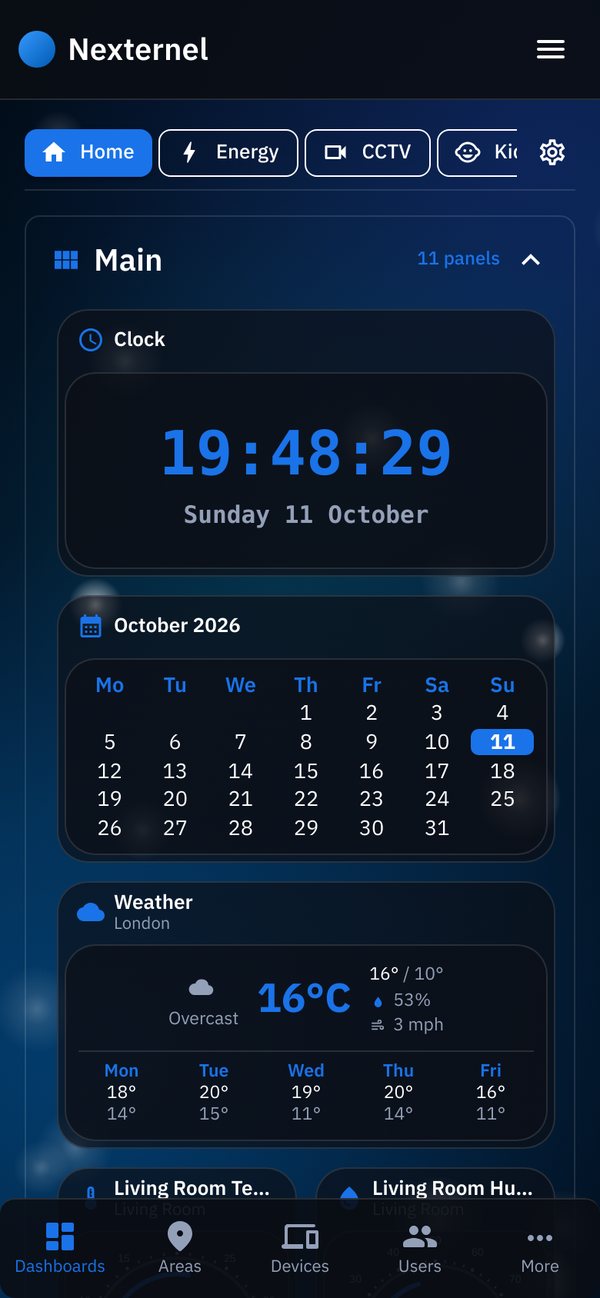
Readings, switches, charts, gauges, cameras, weather, clock and calendar. The layout flows to fit a laptop, a phone or a wall tablet.
Your devices
ESP32 boards with ESPHome, built and flashed from the browser. Shelly switches, Octopus Energy and live cameras.
History kept
Every reading is stored, so charts show the last hour, day or week at a glance.
Moves house with you
An encrypted backup every day. Restore it on a new server and every device, dashboard and account comes back, and the devices reconnect by themselves.
Made to be looked at
- Light or dark, with your own accent colour.
- Soft-glow and gradient backgrounds, and calm effects like snow, fireflies or aurora.
- Names and icons you choose for every panel and every reading.
- Phones and tablets get the same dashboards, rearranged to fit.
Getting started
- Run the install command
It installs Docker if needed, sets up every service with its own random password, and starts Nexternel. This takes a few minutes the first time.
- Open the address it shows
Choose Start fresh and create your account, or Restore from backup to bring over a home you already have.
- Reserve the address in your router
Your devices find Nexternel by its address, so keep it fixed. The install guide shows how.